Welcome to WebLearnCraft
Build, Rank & Grow Your Website
Website guides for beginners on WordPress, Elementor, SEO, web development, blogging and e-commerce. Build, rank and grow your site.
Websites
<!-- your first page --> <section class="hero"> <h1>Hello, world</h1> <a href="/blog">Start</a> </section>
Browse Our Popular Topics
Explore website guides by topic: WordPress, Elementor, SEO, web development, blogging and e-commerce. Each article is written for beginners building a real site.
WordPress
Website guides for beginners covering WordPress installation, settings, themes, plugins, security and customization.
Elementor
Learn Elementor through step-by-step practical articles covering WordPress page building, containers, widgets, responsive design, templates, performance, and website customization.
SEO
Learn SEO through step-by-step practical articles covering keyword research, on-page SEO, technical SEO, content optimization, backlinks, and search rankings.
Web Development
Learn web development through step-by-step practical articles covering HTML, CSS, JavaScript, responsive design, frontend development, performance, and website building.
Blogging
Learn blogging through step-by-step practical articles covering content writing, keyword research, blog SEO, audience growth, monetization, and publishing.
E-Commerce
Learn e-commerce through step-by-step practical articles covering Shopify store design, TikTok Shop, Amazon, eBay, store speed, and conversion optimization.
Latest Guides & Articles
Fresh website guides, added every week. Start with the newest article or pick the one that fixes the problem you have today.

Elementor Editor Not Loading? 6 Fixes That Work
Your Elementor editor is stuck on the loading screen? These 6 beginner-friendly fixes will get you editing again.
WordPress Stuck in Maintenance Mode? 2-Minute Fix
WordPress stuck in maintenance mode? Delete one leftover .maintenance file — usually a 2-minute fix.
How to Add JavaScript to WordPress Without a Plugin (3 Safe Ways)
Learn how to add JavaScript to WordPress without a plugin using three practical methods. Includes code examples, testing tips, and ways to fix common errors.
5 Best Free WordPress Backup Plugins (Compared for 2026)
Compare the best free WordPress backup plugins, including UpdraftPlus, WPvivid and Duplicator. Learn how to schedule backups, store them off-site and test restores.
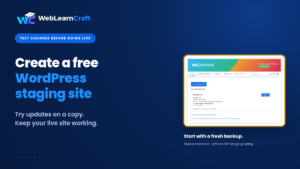
How to Create a Free WordPress Staging Site Before Making Changes
Create a free WordPress staging site to test updates, plugins and design changes before applying them to your live website.
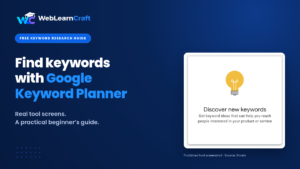
How to Do Keyword Research for Free Using Google Keyword Planner
Learn how to find relevant keywords for free with Google Keyword Planner, understand search data, and choose better blog topics.
HELP CENTER
Frequently Asked Questions
Quick answers about our website guides, how we test them, and how to get help when you’re stuck.
WebLearnCraft is a free blog with practical articles on WordPress, Elementor, SEO, web development, blogging and e-commerce. It helps beginners build, improve and launch a real website. You read the article, follow the steps, and apply them on your own site. No login is required to start reading.
You can learn all six topics we cover. WordPress setup, themes, plugins and settings. Elementor pages, containers, layouts and performance. On-page SEO, titles, headings, sitemaps and search visibility. Web development basics such as HTML, CSS and responsive layouts. Blogging skills including article structure, keywords and internal links. E-commerce basics such as product pages, speed and pre-launch checks.
Yes. Articles are written for beginners building a first website. Each guide uses plain language, WordPress and Elementor paths where needed, and clear next steps. You do not need coding experience to start. If a topic is more advanced, the article still explains it in a way a beginner can follow.
Yes. You can build a WordPress website with Elementor without writing code. Elementor uses visual containers, headings, images and buttons. WebLearnCraft articles show how to structure pages, keep layouts clean on mobile, and avoid beginner mistakes before you go live. Coding is optional later. It is not required to publish your first site.
WebLearnCraft SEO articles cover on-page SEO: unique titles, meta descriptions, one H1 per page, heading order, image alt text, internal links and XML sitemaps. You also learn related checks that affect search visibility, including page speed, mobile layout and WordPress indexing settings. The aim is practical SEO you can apply on real pages.
Open the blog and start with a WordPress, Elementor or SEO article that matches your site. Browse all six categories: WordPress, Elementor, SEO, web development, blogging and e-commerce. If you are close to launch, download the free website launch checklist. No email and no login. Read one article, apply it, then read the next.
WHY CHOOSE WEBLEARNCRAFT?
Practical Guides
Step-by-step WordPress, SEO and Elementor articles and guides.
Beginner Friendly
Easy blogging and web development guides for complete beginners.
Updated Regularly
Fresh SEO, Elementor and e-commerce articles.
Trusted by Learners
Reliable tutorials and articles learners can trust.
Ready to Grow Your Website?
Explore practical WordPress guides, SEO guides, and helpful articles to build, optimize, and grow your website.
Stay Updated with New Articles
Get the latest WordPress, SEO and Elementor articles and website launch guides in your inbox.