
“Discovered, Currently Not Indexed”: How to Fix It on WordPress
Nothing kills your motivation like a post that never shows up on Google. You wrote it, polished it, hit publish. Then Search Console tells you: “Discovered – currently not indexed.”
Yeah, it’s a common one. Plenty of site owners stare at that message for weeks and assume their content is the problem. Often it isn’t. This guide walks through what the status means, why WordPress sites run into it, and what I’d do if I were fixing it today.
Table of Contents
What the Status Means
Go to Search Console, open Indexing, then Pages. Scroll down a bit and you’ll see the reasons your URLs aren’t in Google. This is one of them. Google explains the whole report on its Page indexing report help page.
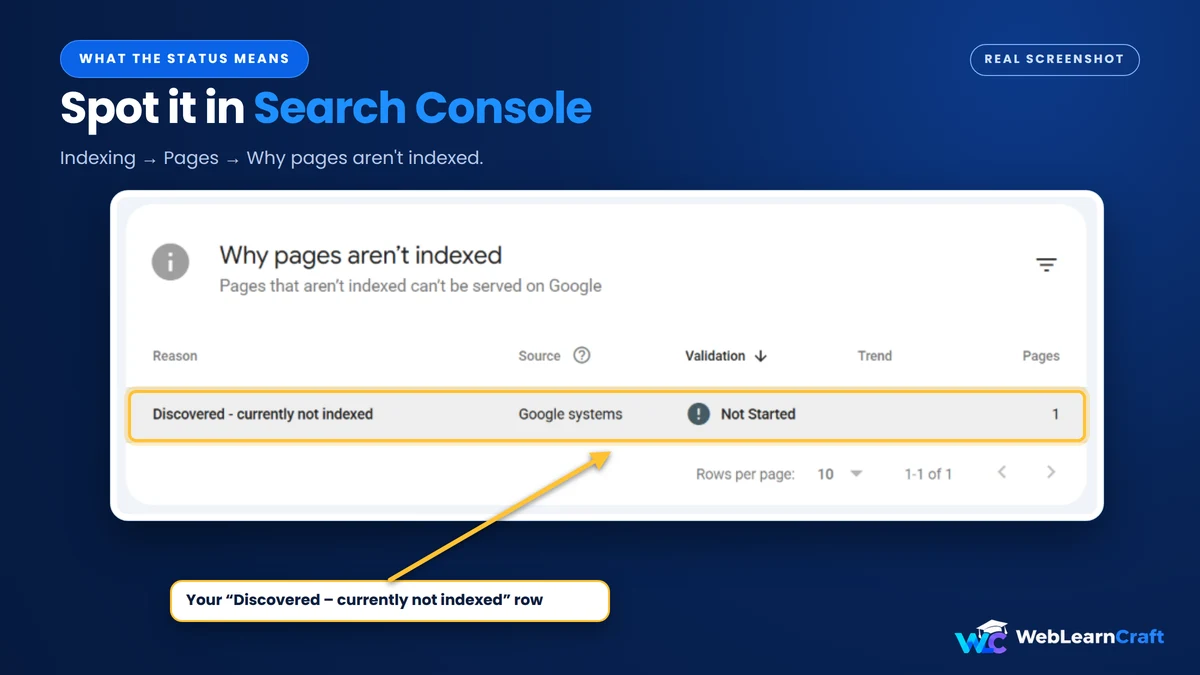
Here’s the simple version. Google knows the page exists. It found the URL in your sitemap or through a link. But it hasn’t actually opened it. Not once. So no, Google hasn’t rejected anything. It just hasn’t looked yet.
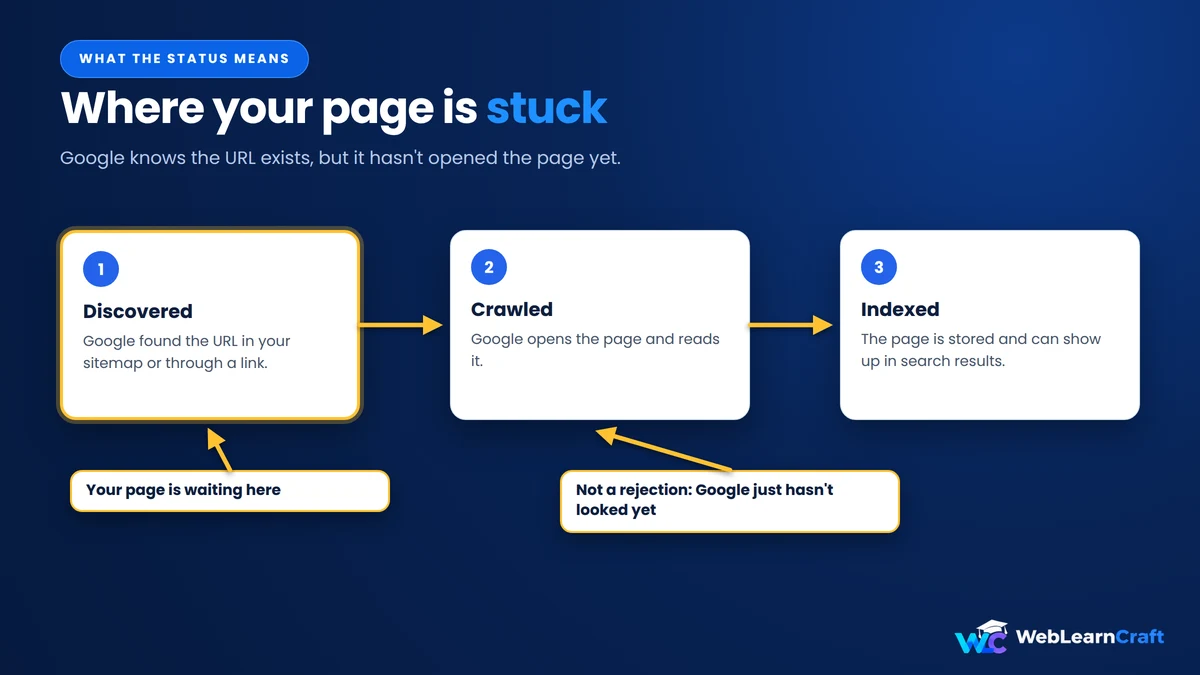
Why the wait? Google gives every site a limited slice of attention. A slow server or a brand-new domain gets a smaller slice, and your page sits in line.
A few of these URLs is totally normal. Your best posts stuck for weeks? Time to dig in.
Discovered vs. Crawled
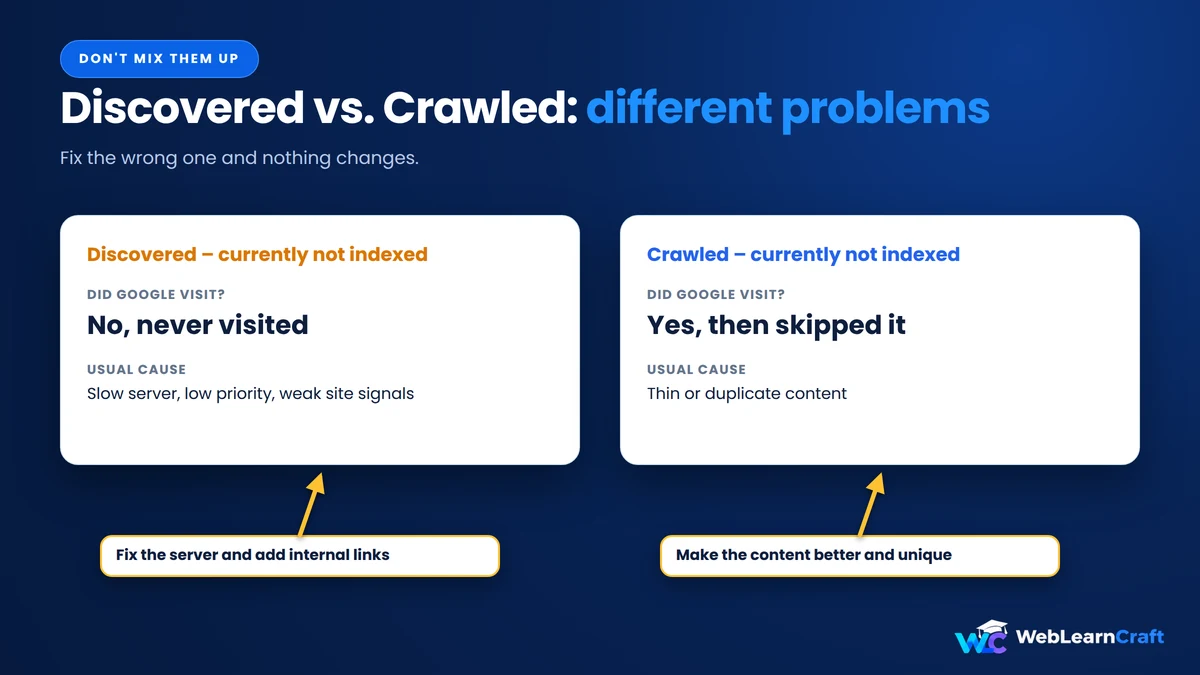
These two get mixed up all the time, and then people fix the wrong thing.
| Status | What happened | Usual cause |
|---|---|---|
| Discovered – currently not indexed | Google knows the URL, never visited | Slow server, low priority, weak site signals |
| Crawled – currently not indexed | Google visited, then skipped it | Thin or duplicate content |
First one: Google hasn’t shown up. Second one: Google showed up and wasn’t impressed. Different problem, so a different fix.
Why WordPress Gets Stuck Here
WordPress loves making pages you never asked for. Tags, categories, authors, date archives, all with their own URLs. A blog with 80 real posts can end up with something like 1,500 URLs. Google has to dig through all that.

Then there’s hosting. Most of us start on the cheapest shared plan, which is fine until Googlebot visits and the server starts struggling. Google notices, and it backs off. Fair enough, really.
And the domain itself. New sites get crawled slowly, even with great content. Annoying, but true.
Finding the Affected Pages
Start by looking at the actual list. Click the “Discovered – currently not indexed” row in Search Console and check which URLs are there.
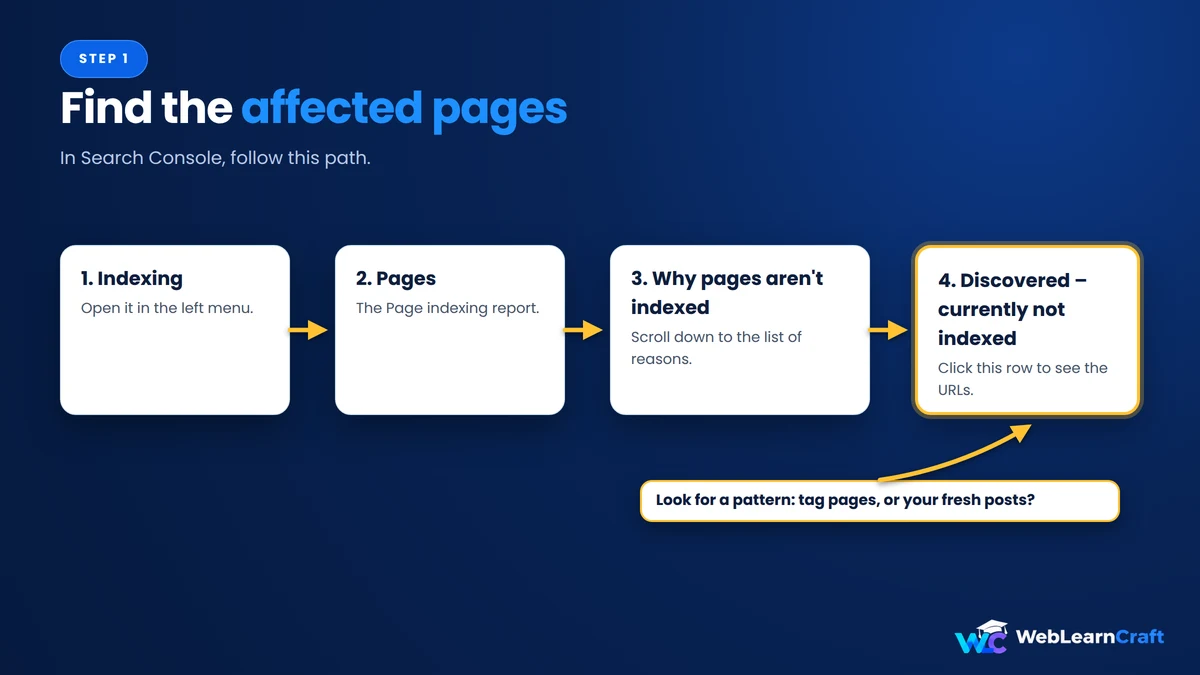
See a pattern? Mostly tag pages and old archives means you can relax, because Google doesn’t need those. Mostly your fresh posts means something is slowing things down. On this blog, for example, Search Console currently lists just one URL under this status.
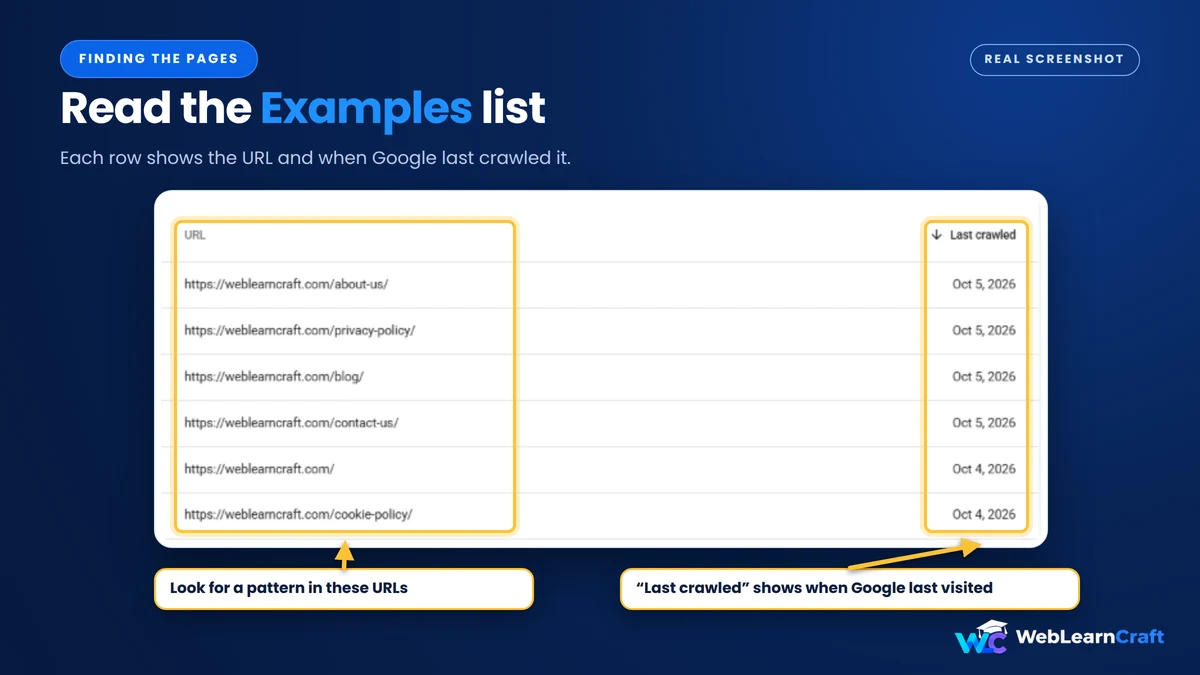
Run one URL through URL Inspection too. It shows if Google has ever tried to crawl it.
Ten Fixes
1. Check the server first
Most guides skip this one, which is strange. Open Settings, then Crawl stats. Look at the response time and the error spikes. Bad numbers there? Google is holding back on purpose.
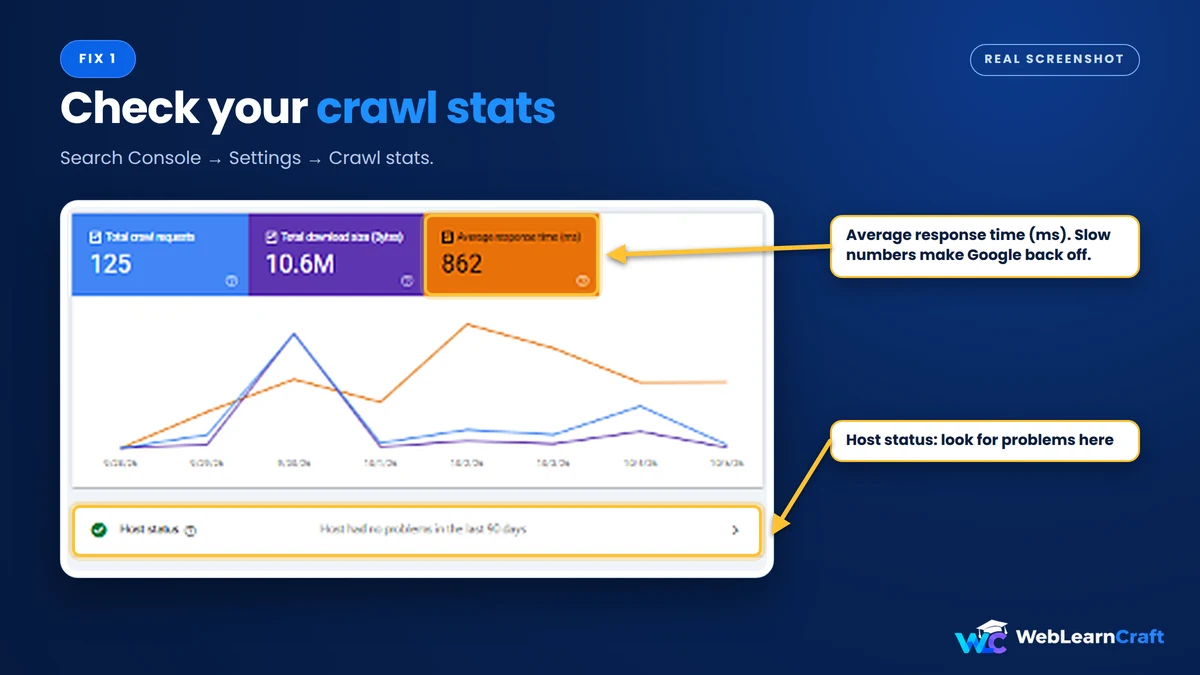
Better hosting, caching, and Cloudflare in front of your site all help. Honestly, I’d start here.
2. Add internal links
Google finds pages by following links. A post with zero links pointing to it is an orphan, and orphans get ignored. Link to it from your homepage if it matters, from older indexed posts, and from its category page.

Use plain, descriptive anchor text. Three to five links is a good target.
3. Clean up the sitemap
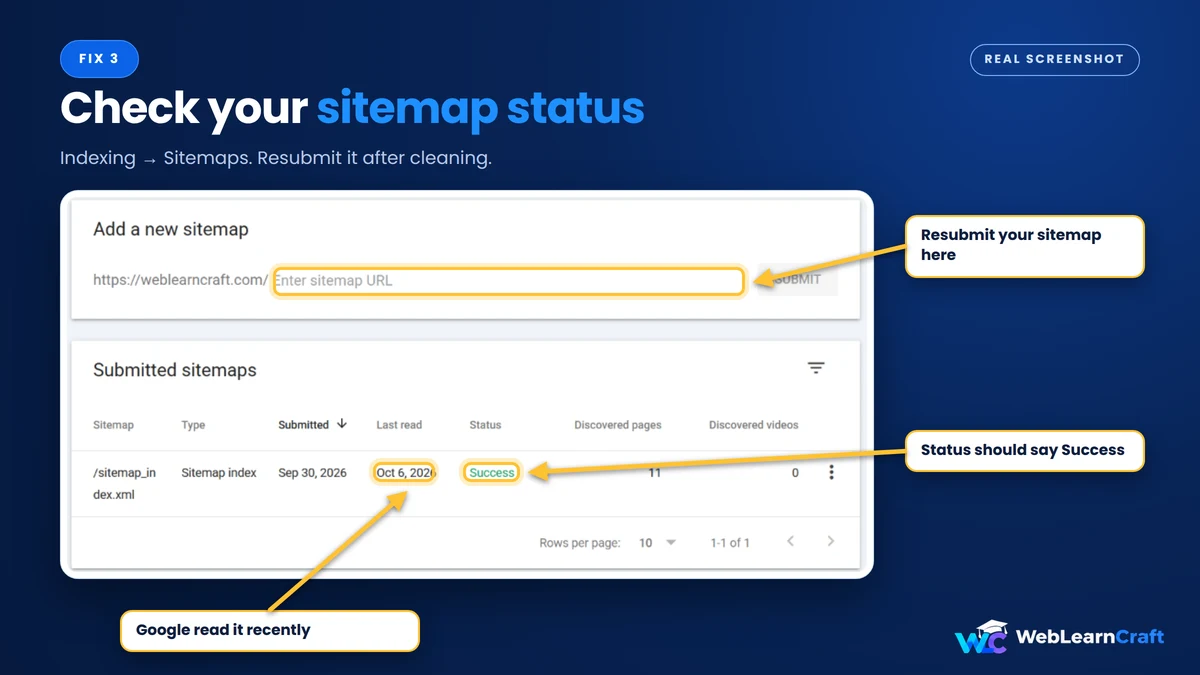
Only pages you want in Google belong in your sitemap. No redirects, no noindexed pages, no duplicates. Yoast, Rank Math and AIOSEO let you drop whole content types quickly.

Resubmit it after, under Indexing, then Sitemaps.
4. Cut the junk
Hundreds of thin tag pages help nobody. Noindex them or delete the useless ones. Check attachment pages too, because WordPress makes one for every image. Smaller, stronger sites get taken more seriously.
5. Make the post better
Be honest with yourself. 250 words? Same as ten other pages? Would you stay on it?
Add something only you have: a screenshot, a real example, a number from your own tests. Useful pages tend to get crawled sooner.
6. Check duplicates and canonicals
One post can show up under several URLs through categories, pagination and tracking parameters. Each page should point to itself as canonical. Your plugin normally handles it, but confirm in URL Inspection.
7. Make sure you haven’t blocked yourself
This happens more than you’d think. Go to Settings, then Reading, and make sure “Discourage search engines from indexing this site” is unticked. Developers tick it during a build and forget. Then check yourdomain.com/robots.txt too.

8. Request indexing, but don’t spam it
The Request Indexing button in URL Inspection can nudge Google on a key page. It’s no miracle, and there’s a daily limit. Save it for pages that matter.
9. Get a couple of real backlinks
One or two good links can change how Google treats a stuck page. No big campaign needed. Share it where your readers are, write a guest post, or answer a forum question and link your guide when it fits.
10. Keep going
New sites often wait weeks. If yours is brand new, this guide on how to move WordPress from localhost to a live server covers the launch checklist. Publish steadily. And please, don’t dump fifty posts on a fresh domain in one day. That usually leaves most of them stuck right here.
How Long It Takes
Depends. Anyone giving an exact number is guessing. Strong sites can get indexed in hours. Newer blogs often wait two to eight weeks, sometimes more.
Still stuck after two months of fixes? Clicking the button again won’t help. Look at the page and the whole site.
Mistakes to Skip
These come up a lot:
- Spamming Request Indexing on the same URL
- Deleting and republishing a post, which can set it back
- Buying cheap backlinks
- Blaming one page when the whole site is the issue
Final Thoughts
Your site isn’t broken. Google just hasn’t gotten to the page yet. Speed up the server, link to your best posts, trim the junk, write things worth reading.

Start with the quick stuff, sitemap and internal links. Then work on quality. Check Search Console every week or so.
Need help with a step, or with your site in general? Contact us and we’ll point you the right way.
2 Responses